Professional WordPress development: what you are really paying for
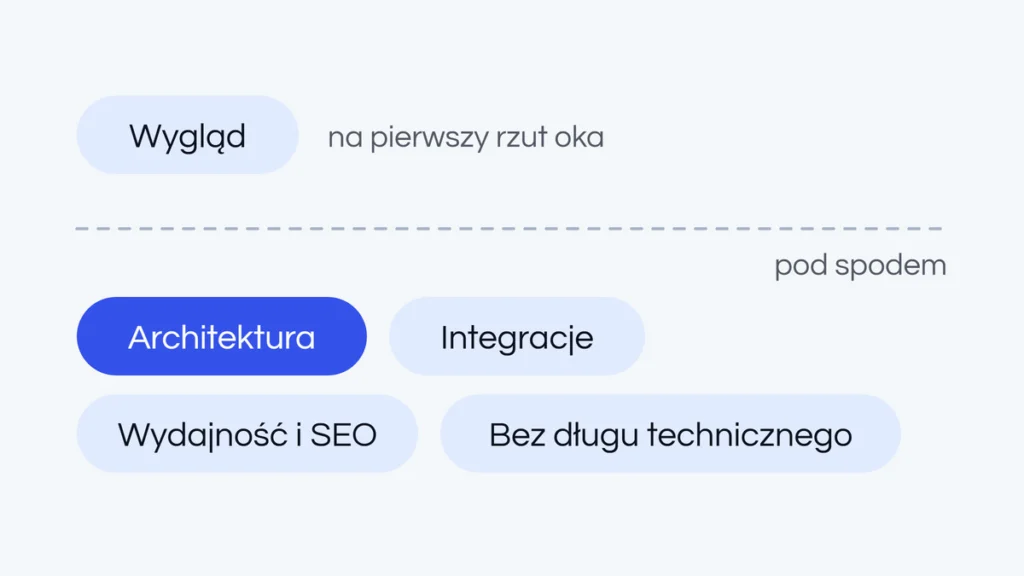
You can set up WordPress in an hour, or spend weeks building it. The difference between “a site that exists” and “a site that works for you” lies in things you can’t see at first glance. The client looks at the design. A professional looks under the hood, where it is decided whether the site survives real traffic and Europe’s rules on privacy and consent.
Quotes for what looks like the same website can differ several times over, whether they come from Berlin, Lyon or Poznań. This article explains why: how a project works at Likeness, how long it takes, what it costs and what to ask before you compare offers.
How a website project works, step by step
1. A conversation about goals, not just looks
We start by talking. What are the goals and assumptions? Which features are needed? Who is the main target group, and who are your buyer personas? We don’t want to build a site that is only pretty or only new. The site has to sell, so we need to know who it speaks to and what that person should do next.
2. A plan and clear responsibilities
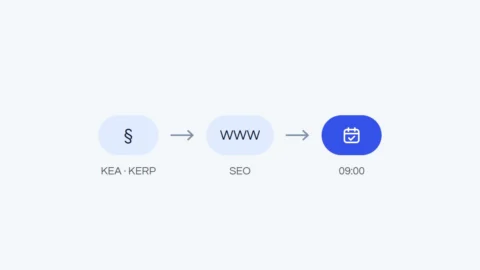
Next we agree on a plan, including who handles SEO, content migration from the old site and the 301 redirects that protect your positions in Google (Google recommends permanent redirects whenever a page moves). We also agree who prepares the design, we or your own designer, and whether you have a visual identity or a brand book.
3. Development and integrations
Only then do we start development: integrations with external systems and a plan for the next ones, so the site is ready to grow. We also decide whether you will edit the content yourself or want our support. We recommend the WordPress block editor with custom blocks and ACF fields, as explained in our article on how ACF speeds up design changes.
4. Configuration and materials
Finally, we configure what makes the site measure and protect what it should: Google Analytics 4, Google Search Console, Google Tag Manager, Consent Mode and reCAPTCHA. From you we need the texts, photos and other visuals, a privacy policy and, for a store, the keys for your payment provider and shipping carriers.
How long it takes and what it costs
A company website usually takes three to four weeks, depending on how quickly we receive the materials. An online store takes about two months. With all content ready, precise requirements and free capacity on our side, we can deliver faster. A rush schedule under heavy time pressure comes with a surcharge.
A company website on WordPress starts at EUR 1,000 net, and a WooCommerce store at EUR 3,000 net. The final price depends on the scope, the number of pages, the features and the integrations.
Setup that doesn’t leave you on your own
A professional implementation includes analytics, GDPR-compliant consent, marketing tools, anti-spam protection and regular backups. Visitors don’t see any of it, but it decides whether the site is a finished product at launch or a to-do list for you. Part of it follows from EU law and platform rules (more in our article on online store legal requirements in 2026):
- Cookie consent. Under the ePrivacy Directive, storing or reading anything on a visitor’s device needs consent unless it is strictly necessary for the service they asked for. GDPR consent must be freely given, specific, informed, unambiguous and as easy to withdraw as to give. Each country has its own implementing law, such as § 25 TDDDG in Germany.
- Consent Mode v2. Since March 2024, Google has enforced its EU user consent policy more strictly: to use its advertising and measurement tools for visitors from the European Economic Area, you must collect consent and pass it on to Google. Otherwise, Google warns, EEA users drop out of certain audiences.
- Accessibility. Since 28 June 2025, the European Accessibility Act has applied to e-commerce services for consumers, through national laws such as Germany’s BFSG or Poland’s act of 26 April 2024. Microenterprises providing services (fewer than 10 people and up to EUR 2 million in annual turnover or balance sheet total) are exempt. If you sell to consumers, raise accessibility early: building it in costs far less than adding it later.
Architecture instead of a random template
A good implementation starts with decisions you can’t see on a mockup: how to organize content, how it will grow, what not to force into off-the-shelf plugins. Experience saves money here, because it avoids solutions you would have to rewrite a year later. A theme chosen “because it looks nice” can cost more than the whole project once it can’t handle a feature you suddenly need. Good architecture makes every later change a matter of adding bricks, not tearing down walls.
Integrations that just work
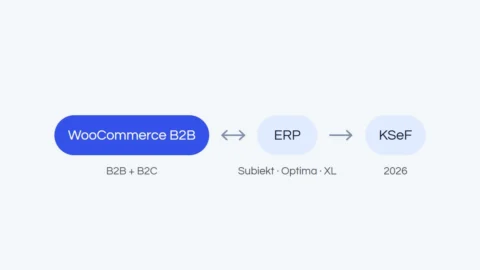
Payments (including local methods such as iDEAL in the Netherlands, Bancontact in Belgium or BLIK in Poland), shipping carriers, email marketing, ERP, PIM or CRM systems: the more tools your business runs on, the more they need to work together, not as separate plugins barely glued together. This is where cheap implementations fail most often.
A well-designed integration layer removes manual work: orders and stock levels flow between systems automatically. It often pays back the project fastest, because you get back the hours that used to disappear into spreadsheets. Read more in our guide to WooCommerce ERP integration.
Performance and SEO from the ground up
Loading speed affects search visibility and conversion, and Google recommends good Core Web Vitals “for success with Search”. Image optimization, clean code, sensible caching and a proper SEO structure should be standard, not an add-on sold later.
As part of the build, we prepare the SEO basics: correct headings, internal linking and the SEO module configuration. If you share your Google Search Console data with us, we also check what it shows. This is not full SEO, but a good base for further work, which we quote separately. A beautiful store that doesn’t load doesn’t sell, so we care about speed from day one and don’t build on page builders. Our article on page builders and performance explains why.
Content: who prepares it
You provide the texts, or we move them over from the old site. We usually recommend improvements or ask for something extra, because old texts often no longer fit what the company does today. For new texts, we work with tested copywriters, paid separately. For a multilingual site, plan proper texts for each language, not an automatic translation. With our marketing experience, we also look at the content from a sales point of view.
Hosting and security
We have a few hosting providers we have tested and can pass on a partner discount code. Your own hosting is fine too, but if it is slow or has a mediocre reputation, we recommend a change: even the best-written site can’t make up for a slow server. Wherever you host, check whether the data stays in the EU (the GDPR allows transfers outside it only under its Chapter V), whether support answers when the site is down, and whether backups and a current PHP version are available.
We always set up an SSL certificate, backups if the host allows it, and the latest PHP version available when work starts. PHP branches get security fixes for a limited time (PHP 8.2 only until 31 December 2026), and WordPress recommends PHP 8.3 or later.
After launch: updates and monitoring
A live site needs regular updates and someone who watches its security. Our ongoing maintenance package covers updates, monitoring of uptime and security vulnerabilities, and backups. Small changes to the site are not included. We quote the package after a short conversation, because the amount depends on the number of plugins and on whether the site runs WordPress alone or with WooCommerce.
No technical debt
The most expensive sites to maintain are those built “for now”. Technical debt doesn’t hurt at first, but every change gets harder and more expensive until a rebuild is simpler. We assume the opposite: the code we leave behind has to be maintainable, including by someone else, with no magic plugins and no visual builders in the critical layer. You won’t see it in a demo, but you will appreciate it at the first serious change.

How to compare offers: questions to ask an agency
Many offers today are sites built quickly, often with AI, where only the look counts: no Google Analytics, no Tag Manager, no proper consent. The “minimum package” is then only the start, and the rest, often required by law, costs extra. Before you compare prices, ask:
- Are GA4, Google Search Console, Tag Manager and a consent banner with Consent Mode v2 included?
- Who handles content migration and 301 redirects from the old site?
- Will I edit content in a page builder or in ready-made blocks?
- Which integrations are included, and is the site ready for more?
- Who prepares the texts and the SEO basics, such as headings and internal links?
- Which hosting will the site launch on, where are its servers and which PHP version will it run?
- If I sell to consumers, how do you approach accessibility?
- After launch, who updates the site, who looks after security and what does it cost?
If the answer is “that’s extra”, add it to the price straight away, so you compare offers at the same level. Across EU borders, two more points help. Compare net prices: a VAT-registered business buying services from an agency in another EU country usually accounts for the VAT itself under the reverse charge. And ask who will access personal data from your forms and orders: under Article 28 of the GDPR, processing on your behalf needs a written agreement.
When DIY is enough and when it isn’t
Not every site needs a professional implementation. You can build a simple blog or brochure site yourself and learn WordPress along the way. The line is drawn where a store, integrations, real traffic, a migration or security requirements come in. Then the time, risk and cost of mistakes quickly exceed the price of a good implementation, which is an investment in a site that works for your business, not in a “prettier” one.
Frequently asked questions
How much does a WordPress website cost?
At Likeness, a company website starts at EUR 1,000 net and a WooCommerce store at EUR 3,000 net. The final price depends on the scope.
How long does it take to build a website?
Usually three to four weeks for a company website and about two months for a store, depending mostly on how quickly the materials are ready.
Will you write the texts for the site?
You can provide them, or we move them from the old site with our recommendations. New texts come from partner copywriters, for a separate fee.
What does the maintenance package include?
Updates of WordPress and plugins, monitoring of uptime and security vulnerabilities, and backups. Small changes are billed separately.
Have a project that simply has to work? See how we build WordPress websites and stores or request a free quote, and we will tell you straight what your project really needs.