WooCommerce ERP integration: what really works and what doesn’t
WooCommerce works well until you connect it to an ERP with its own data model, its own rhythm and documentation often available only in the local language. Then a simple-looking project becomes one of the harder jobs in eCommerce, not because the API is complicated, but because the data on the two sides rarely matches.
Most integrations fall into the same trap: someone installs a ready-made connector, clicks through the field mapping and declares success. For two weeks everything works. Then come the first unusual product, the first unexpected order status and the first silent drift in stock. This guide covers what really works, which ERP systems we connect, the problems that keep coming back, what Europe’s move to e-invoicing changes and what drives the cost.
Why it’s harder than it looks
On paper it sounds trivial: products and stock flow from the ERP to the store, orders flow the other way. But the two systems understand even basic concepts differently. One product with variations in the store is often several item codes in the ERP. A status that means “paid” to the store may have three equivalents in the ERP, depending on the payment method.
That is not a bug: the systems were built for different jobs. WooCommerce is the easy side, because its REST API lets another system read and write products, orders and other store data. The hard part is reconciling two data models that were never designed to talk to each other.
Which ERP systems we connect to WooCommerce
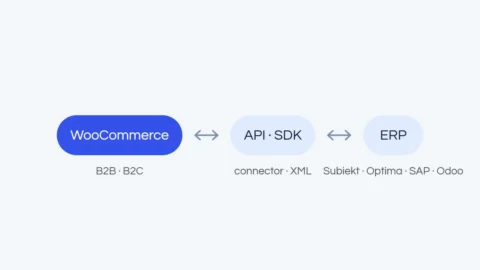
Most of our integrations so far have been with the systems that dominate Polish companies: Subiekt GT and Subiekt nexo, Comarch ERP Optima, Comarch ERP XL and enova365. We also work with systems from outside Poland, for example the Czech Pohoda for a store selling on the Czech market. How WooCommerce connects to each of them, and to other European ERPs, is covered in our system-by-system overview.
Elsewhere in Europe the names change (SAP Business One, Microsoft Dynamics 365 Business Central, Odoo, Exact, Sage, or DATEV for bookkeeping), but the pattern stays the same. Every serious ERP has some way to exchange data: an API, an integration module or file exchange. So the question is rarely “can it be done?” but “what are the limits?”, such as a cap on requests, data the API does not expose or an extra module to buy. Our job is to design the synchronization so those limits never get in the way of sales.
The ready-made connector trap
Ready-made connectors assume your ERP speaks a standard language: order, product, customer, invoice. In reality, every Subiekt GT, Comarch ERP XL or SAP Business One deployment has its own custom fields, status dictionary and validation rules that no universal plugin can anticipate.
A ready-made solution simply means a limited set of features. While your data fits the schema the plugin assumed, all is well. Trouble starts at the first exception, and in business data exceptions are the norm. Then the patching begins: extra fields, side scripts, manual corrections, until the tool meant to save time eats more of it than a proper integration would have. And you usually pay for a license or subscription, however few of its features you use.
What really works: a single source of truth
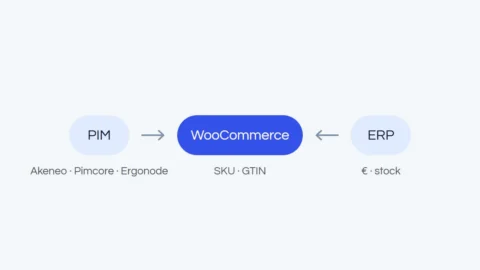
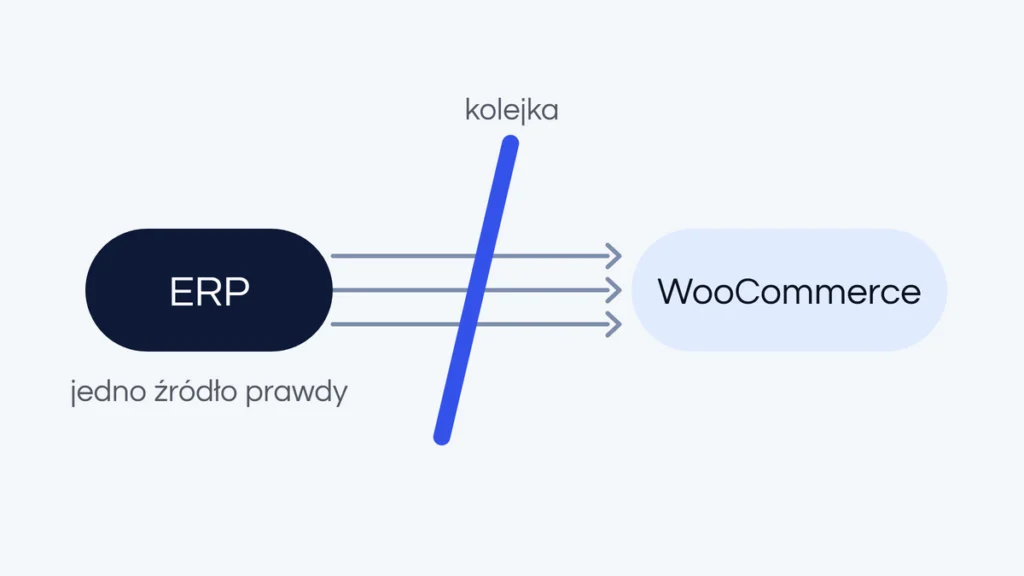
The most important decision is organizational, not technical: which system is the source of truth for each type of data. Our rule is almost always the same. The ERP owns products and stock levels. WooCommerce owns orders. Never the other way around.
When each data type has one clear owner, the two sides never overwrite each other’s changes, and most conflicts disappear before they arise. Boring, but this is what keeps stock in sync and orders from disappearing.
One-way synchronization with a queue
For most clients we build our own synchronization in PHP, designed around their process, instead of relying on a ready-made connector. The design is simple but solid: a job queue, a one-way flow for each data type and a full log of every operation. A failed job can be safely retried without duplicating anything.
When the ERP stops responding for a moment, jobs wait in the queue and complete on their own once the connection is back. The queue also respects request limits: we send data in batches at our own pace instead of flooding the ERP with requests. That is the difference between an integration that “usually works” and one you can rely on during a sales peak.

The most common problems in practice
- Old custom add-ons. Undocumented ERP extensions, written over the years by different companies, that some of the data passes through.
- No API in part of the setup. The ERP has an API, but an old module the company relies on does not, so that data needs another route.
- Request limits. The ERP or its server accepts only so many requests at a time, which takes careful planning with a large catalog.
- Images and large files. Product images can be the most troublesome part of the exchange, as they were in an integration with Pohoda.
- Variations and statuses. One product with variations is several ERP item codes, and one payment status can have several equivalents.
None of these rules out an integration, as long as they are found during research, not after launch. We describe that stage in our article on how we design ERP integrations.
What you can’t get around
No technology will understand your data for you. Automatic “field A equals field B” mapping looks great in a demo but falls apart at the first exception, and a real ERP has dozens: historical records, unusual categories, data entered over the years by different people. That is why we always map fields by hand, with the client, on real data. It is the only way to avoid silent errors that surface only with a customer complaint or a stock discrepancy.
Invoices and e-invoicing: which system issues them
In our projects, invoices are most often issued by invoicing software connected to the store: the order goes to the invoicing application, and it issues the document. The ERP can issue the invoice instead, if it has that function and an API that lets another system trigger it.
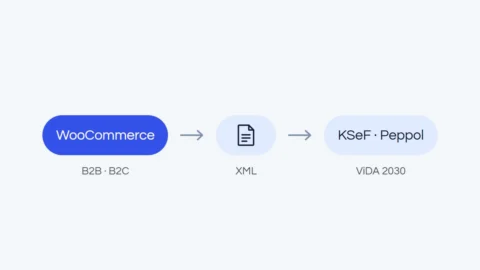
This decision matters more every year. Under the EU’s VAT in the Digital Age package (ViDA, Council Directive (EU) 2025/516), structured e-invoices become the rule for cross-border B2B transactions from July 1, 2030, together with digital reporting to tax authorities. Since April 14, 2025, member states may also require e-invoices for domestic transactions on their own terms, and several already do:
- Poland: invoices between businesses go through the national KSeF system, mandatory since February 1, 2026 for the largest companies and since April 1, 2026 for the rest (the smallest taxpayers have until the end of 2026).
- Belgium: since January 1, 2026, VAT-registered businesses established in Belgium must exchange structured e-invoices over the Peppol network. A PDF by email is no longer enough.
- Germany: since January 1, 2025, every business established in Germany must be able to receive e-invoices based on the European standard EN 16931 (for example XRechnung or ZUGFeRD). Issuing them becomes the rule from 2027, or from 2028 for businesses with a prior-year turnover of up to EUR 800,000.
- France: since September 1, 2026, all businesses must be able to receive e-invoices and large and mid-sized companies must issue them. Smaller businesses follow on September 1, 2027.
For a WooCommerce store this rarely means talking to a tax platform directly. It means one system, the invoicing software or the ERP, is clearly responsible for issuing each invoice and sending it to the right national system or network, with complete company data passed on by the store. More on this in our article on online stores for manufacturers and wholesalers.
How much does a WooCommerce ERP integration cost?
We quote a custom integration after a short conversation, once we know your ERP, your data and your rules. The price depends mainly on:
- the scope of data: products, stock, prices and price lists, orders, customers, documents;
- how the ERP exchanges data and what its limits are;
- the number of products, variations and images;
- the number of sales channels and unusual business rules, for example individual price lists for trade customers.
A ready-made connector is cheaper at the start, but it comes with a license or subscription fee and a limited set of features. For less demanding stores it can be a good choice.
When a ready-made connector really is enough
To be fair: not every store needs a custom integration. With a simple catalog, a standard ERP in a typical configuration and a small order volume, a ready-made connector may be enough, as long as you know its limits. The line usually falls where custom fields, larger scale, several sales channels or unusual business rules come in. Then a custom integration is the cheapest choice in the long run, because it removes hours of manual work and errors that grow with volume.
After launch: monitoring in the maintenance package
An integration is not a one-off project. The ERP gets updates, the product range changes, new sales channels appear. Clients with our maintenance package are monitored continuously: we watch site availability, script errors and integration problems, so we can catch a fault before the store’s customers notice it.
Examples from our projects
We built an ERP integration for the Kalvei B2B store, among others: WooCommerce synchronizes with the ERP in real time, verifies companies in the Czech ARES business register and generates XML files for trade partners. For the Fitcookie store, we connected WooCommerce with BaseLinker, courier companies and a review system.
Frequently asked questions
How much does a WooCommerce ERP integration cost?
We quote it after a short conversation about your ERP, data and business rules. The price grows with the scope of data, the number of products and rules such as customer-specific price lists.
Can any ERP be connected to WooCommerce?
In practice, yes. Common ERP systems have an API or an integration module, and their limits decide how the synchronization should be designed.
Which system should issue invoices?
Usually invoicing software connected to the store, or the ERP if it has that function and an API to trigger it. With e-invoicing spreading across the EU, decide this at the start.
Your store and your ERP don’t speak the same language? See how we build ERP, PIM and CRM integrations, or describe your system in the free quote form. We will tell you straight whether a ready-made connector is enough in your case or a custom synchronization is the better investment.