PrestaShop 1.7 migration to version 8 and 9: how to upgrade your store safely
PrestaShop 1.7 runs on a PHP version that stopped getting fixes long ago. We explain whether to choose…
Read moreNew PrestaShop stores, migrations from 1.7 to versions 8 and 9, custom modules and care after launch.
PrestaShop is a good choice when a store needs a large catalog, several stores in one admin panel or B2B sales. It is self-hosted: the store runs on your own server and you keep full control over the store and its data, while we take care of versions, modules and security.
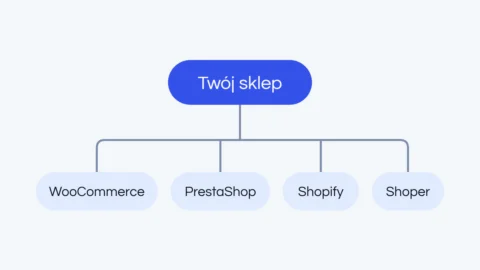
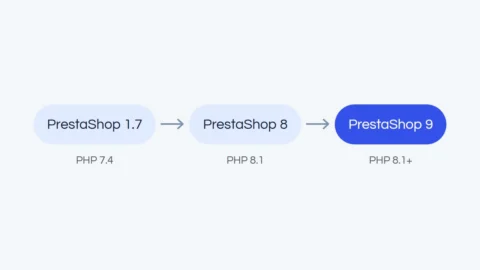
Still on an older version? We explain how to move from PrestaShop 1.7 to 8 or 9 without losing features in our article on PrestaShop 1.7 migration to 8 and 9. Still choosing a platform? See our comparison of WooCommerce, PrestaShop, Shopify and Shoper.
We check whether PrestaShop really fits your sales model, and for a migration we audit the current store.
Module scope, integrations, data migration risks and realistic dates.
With a focus on payments, shipping and local integrations. You test on a copy before anything goes to production.
We go live when traffic is lowest, and after that you can stay with us in a maintenance package.
PrestaShop:
what would it cost in your case?
Three form steps, no commitment. We reply within 24 business hours, then a 30-minute call and a proposal with the scope.
An old version of PrestaShop and PHP means no security patches and modules that stop working over time. We move the store to the current version so it works as before, only more securely. The goal is a store that keeps all its features, not the highest version number at any cost.
Some paid modules from the older version need a new license or a replacement. We show these costs before work starts. If needed, we also move the store to a new server, ideally as a separate stage.
We make a full copy of the store and a test environment. We check PHP, the database and the server, the modules (including custom ones and overrides), the theme and the integrations: payments, shipping, invoicing, marketplaces, mailing and analytics. You get a report with a decision for every module and a binding quote.
On a separate server we upgrade PHP and PrestaShop (version 8 or 9, depending on the audit), move products, customers, orders and content, update or replace modules and adapt the theme. The production store keeps running normally the whole time.
We test the purchase flow, payments, shipping, invoicing, integrations and the admin panel. You get access to the test version and approve it before anything goes to production.
We deploy in an agreed window, usually at night when traffic is lowest, with a full backup of the database and files ready for a quick restore. Then we monitor the store and react quickly to any errors.
A good store is built with a plan, not in a rush. We agree the dates in a schedule before we start.
Usually 4-6 weeks from the audit to launch. It depends mostly on how many changes and new features you want along the way.
From gathering requirements and signing the contract, usually 6-8 weeks for a smaller store and up to three months for a larger one.
A custom design and extended features add time in proportion to their scope. In return you get a store made for you, not a reworked theme.
Around the summer holidays, lead times can be longer. Launching well before your peak season leaves time for calm testing and fixes.
A self-hosted store needs regular care: updates, module checks and backups. We can take that off your hands.
We quote the maintenance package after a short conversation. New features and changes to the store are quoted separately.
PrestaShop, modules and PHP updated with care: we check compatibility first, then deploy.
We watch uptime and security so we can react before your customers notice a problem.
Regular backups of the database and files, ready for a quick restore.
Briefly on timelines, migration, modules and care.
Have another question? Write to usPrestaShop 1.7 runs on a PHP version that stopped getting fixes long ago. We explain whether to choose…
Read moreThere is no platform that is best for everyone. There is the platform that is best for your…
Read more