ACF: how it speeds up design changes and the whole project
Much is said about performance and clean code, but there is one more dimension that decides whether a project runs smoothly: how easy it is to make changes. This is exactly where Advanced Custom Fields, or ACF for short, makes a difference that you can’t see at first glance but that really shortens working time and lowers the cost of maintaining a site.
ACF is a WordPress plugin that lets you build your own structured content fields and assign them to specific places on the site. It sounds technical, but the effect is very practical: instead of one huge field where it is easy to break something, you get a clear set of building blocks that you fill in like a form.
Content separated from design
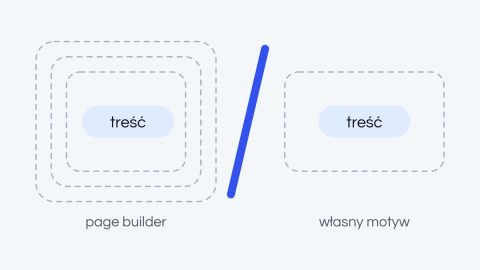
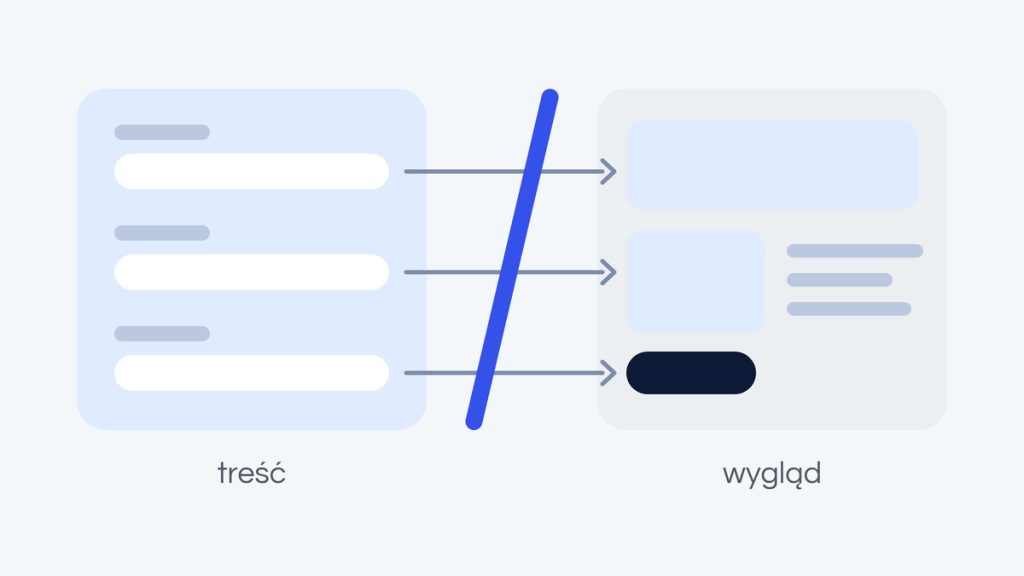
The greatest strength of ACF lies in separating content from its presentation. The layout, styles and behavior of sections live in the code, and you manage only the content: the heading, the description, the image, the price. That way you can’t accidentally break the site’s design by pasting text from Word or changing a single sentence.
For whoever manages the site, that is a huge relief. Editing becomes predictable and safe, because every field has its own place and type. You don’t need to know code or worry that a small fix will break the whole layout, which happens painfully often with classic editors.
Faster design changes
When content is organized into fields, changing the design stops being a risky operation. A designer or developer can rebuild the way a section is displayed, and all the content simply drops into the new layout, because it is independent of it. That is the difference between “let’s redesign and rewrite everything from scratch” and “let’s change the template, the content stays.”
In practice, this means that refreshing the design, adding a section variant or reordering elements takes hours instead of days. The bigger the site, the clearer the savings, because the change is made once, in one place, and works everywhere that field is used.
Consistency at scale
ACF enforces order, and order pays off at scale. When every case study, product or post uses the same defined fields, the site stays consistent even with hundreds of pages and many people adding content. You never end up with one section looking different just because someone pasted it in their own way.
This predictability is also a gift to the future. Structured, well-described data is easier to reuse, migrate or feed into other systems. It is the exact opposite of content locked in a builder’s unreadable markup, from which it is hard to recover anything.
A dashboard the client can actually handle
Well-designed ACF fields turn the WordPress dashboard into a tool tailored to a specific project. Instead of struggling with a generic editor, the client sees exactly the fields they need, labeled in their own terms. Adding a new project to the portfolio or updating the offer becomes a task of a few minutes, with no call to the agency.
This is one of the things that best reflects our approach. For us, “finished” means your team can genuinely handle the site after launch, with documentation and a dashboard that doesn’t require technical knowledge. The site should work for you, not make you dependent on whoever built it.
A tool, not an end in itself
ACF is not magic and won’t replace a well-thought-out architecture, but in the hands of someone who knows how to use it, it can significantly speed up the whole project: from the first launch, through later changes, to long-term maintenance. It is an investment in convenience that pays off with every subsequent edit.
That is why we treat it as a standard part of a proper implementation, not an add-on. Structured content is simply content that is cheaper to maintain, and in the long run, that is what matters most.
Want a site you can genuinely manage yourself and that is easy to develop? Request a free quote, and we will show you what a dashboard tailored to your project could look like.