How to build your own CRM with AI? And who will protect your customers’ data?
On LinkedIn and X, someone shows off a CRM they built with AI over the weekend almost every day. Instead of paying for HubSpot, a few evenings with Claude Code or Lovable and it is there: contacts, a sales pipeline, call notes, reminders. According to Google Trends, interest in Claude Code alone in Poland is now more than twice what it was a year ago.
This is not an article against AI. We use it every day and teach teams how to use it. It is about one moment: the moment a prototype gets real data. Because your CRM knows more about your company than your accountant does. It holds your customers and their contact details, call notes, sales results, invoices, reports and all the know-how of how you sell. Once all of that goes in, a weekend project becomes a system you are responsible for, including before data protection authorities.
How people build their own CRM with AI today
The pattern is simple. You describe what you need in a chat, and a tool such as Claude Code, Lovable, Cursor or Bolt generates the app. For the database and login it usually suggests a ready-made cloud service (such as Supabase or Firebase), and for hosting something like Netlify or Vercel. A few hours later you have a working prototype. And it really works: as a prototype, it is a great way to find out what kind of CRM you need.
We Replaced HubSpot With a Custom CRM Built on Claude Code
How I Built a 90-route CRM with Claude Code and No Dev Background
Both stories are interesting and show how much can be done today. Yet neither says much about where the data physically lives, what backups look like or how GDPR is handled. That is not a criticism of the authors, just a good illustration of what such stories focus on: cost and speed.
Where the risk begins
An app can work flawlessly and still be wide open. Most of the time the problem is not AI or the tools themselves, but settings nobody consciously chose.
Default configuration
Supabase is a good tool: tables created in its dashboard have row level security (RLS) enabled by default. Tables created by scripts or by an AI agent, however, have to be secured by hand. Without that, the public key that sits in the site’s code anyway is enough to read and change the data. That is exactly what well-known incidents looked like:
- In 2025, a review of 1,645 apps built with Lovable found that 170 of them (about 10%) had a database accessible without logging in, with emails, phone numbers, payment details and API keys.
- In October 2025, Escape.tech analyzed more than 5,600 apps from AI builders and found 175 cases of exposed personal data, including medical records and bank account numbers.
- In February 2026, Moltbook, whose founder said publicly that he “vibe-coded” it, had its database key in the site’s code and no access rules. About 1.5 million API tokens and tens of thousands of email addresses were exposed.
We write more about what research says about AI-written code in Can AI build an online store?.
Where the data physically lives
AI sets up whatever is the default, and the default is not always the European Union. For example, server functions for new sites on Netlify run in the US by default, with EU regions available on paid plans. Supabase lets you pick an EU region (such as Frankfurt or Ireland), but you have to do it on purpose. Transferring data outside the European Economic Area is possible (Netlify, for instance, is certified under the EU-US Data Privacy Framework), but it needs a legal basis and has to be in your GDPR documentation. You also need a data processing agreement with every provider that processes your customers’ data.
The everyday part nobody posts about
Backups, and checking that you can actually restore from them. Permissions: who sees whose contacts, and what happens when a salesperson leaves. Logs, meaning a record of who downloaded data and when. Library updates, where someone finds a new flaw every few weeks. And most importantly: when something breaks, there is often only one person who understands the app, and they wrote it together with AI.
Replit’s CEO admitted this should not have happened, and the company later separated development and production databases. The story shows well why AI should not have access to a live system without human oversight and a backup.
An example from Poland, with no AI involved but the same mechanism: in 2023, the Polish data protection authority (UODO) fined a university PLN 35,000. After a system migration, the data of 1,461 students, including national ID numbers, was publicly available for 27 days and was indexed by a search engine. The changes had only been tested by their author.

Law firms, clinics, schools: the stakes are higher
In some industries, a homemade CRM is more than a business risk:
- Clinics and medical practices. Health data is a special category under GDPR (Art. 9). In recent years UODO has fined healthcare providers for, among other things, missing risk analyses and unsecured systems, for example PLN 40,000 for a public health facility in Pajęczno after a ransomware attack.
- Education. Children’s data needs special protection, and information about a child’s allergy is health data (the EU Article 29 Working Party treated it that way). A CRM for a kindergarten or language school quickly becomes a database of special category data.
- Law firms and accounting offices. On top of GDPR comes professional secrecy. In July 2026, UODO fined a tax advisory firm PLN 11,594 after a mailbox with the data of 111 people, including children registered for health insurance, was hijacked. The firm had not carried out a risk analysis.
To be fair, ready-made software is also a target. In 2026, a leak from the MyDr system, used by about 12,000 healthcare facilities in Poland, affected about 19 million people, and UODO extended its inspections in healthcare. And that may be the strongest argument in this whole discussion: if a large provider with people and budget dedicated to security can have a problem, how sure can you be that you will secure an app built over a weekend with AI better on your own?
So the conclusion is not “off-the-shelf is always safe”, but “choose consciously”: a provider with a data processing agreement, EU servers, certifications and a track record of handling incidents, and your own solution only when you know who will protect it and how.
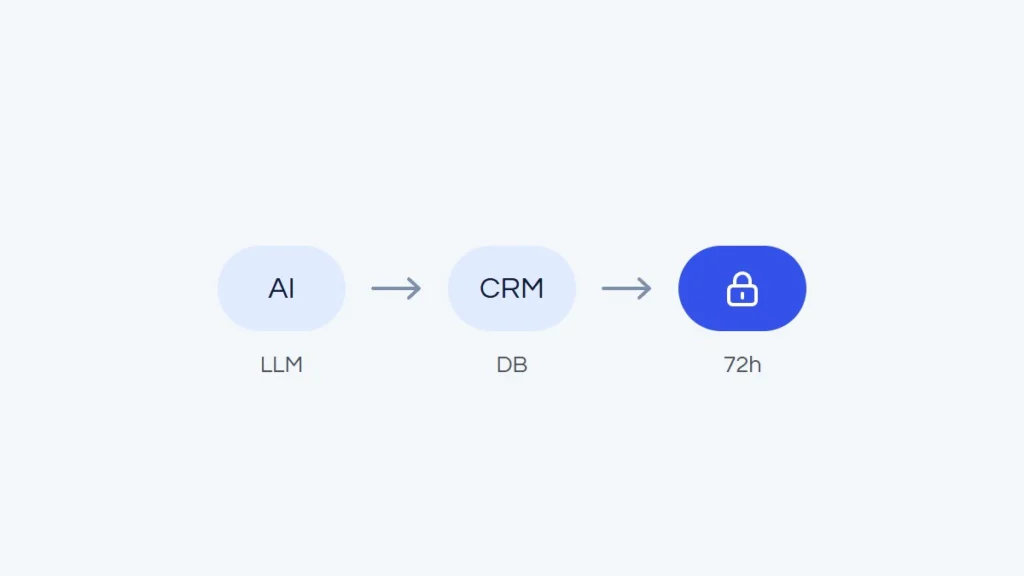
If a breach happens, the controller has 72 hours to report it to the supervisory authority (GDPR Art. 33) and, if the risk is high, must also notify the people affected (Art. 34). Fines can reach EUR 20 million or 4% of annual turnover. The number of reports keeps growing: in 2025, UODO received 22,435 breach notifications, 51% more than a year earlier.
When your own CRM makes sense
There are situations where a custom app is a good choice:
- a prototype to test your process, on test data,
- an internal tool that does not store personal data,
- a very unusual process that no ready-made CRM can handle, even with integrations.
If you build, do it properly: code review by a developer, access rules in the database and no full-access keys in the site’s code, EU servers and data processing agreements with every provider, backups verified by restoring, roles and permissions, logs, an update plan and a security test before any real data goes in. Plus an entry in your record of processing activities and a risk analysis.
Where to start: ready-made CRMs, including free and cheap ones
You do not have to spend much to start. A few examples, as of October 2026 (prices excluding VAT, check the current price list before deciding):
- HubSpot CRM. A free plan for 2 users and 1,000 contacts. Data in AWS data centers in Germany (the region is assigned when the account is created, so it is worth checking in the settings), a data processing agreement in the terms of service, SOC 2 certification, a Polish interface.
- Zoho CRM. A free edition for 3 users and 5,000 records. EU data centers (Amsterdam, Dublin), a data processing agreement on request, ISO 27001 and SOC 2 certifications.
- Bitrix24. A free plan with a basic CRM, and the paid Basic plan from PLN 199 a month, billed annually, for 5 users. Important: data goes to Frankfurt if you sign up via an EU domain such as bitrix24.pl, but to the US with the .com version.
- Pipedrive. No free plan (14-day trial), Lite from EUR 14 per user a month, billed annually. Servers in Frankfurt and Dublin, a data processing agreement in the terms, ISO 27001 and SOC 2.
- Livespace (Polish). Base plan from PLN 79 per user a month (up to 3 users). Data in AWS in Ireland, a published data processing agreement, Polish support.
- Firmao (Polish). Standard plan from PLN 69 per user a month on an annual contract. Integrations with WooCommerce, Shoper, PrestaShop, Allegro, Symfonia and Comarch (mostly in the top plan), a data processing agreement at sign-up.
- Self-hosted open source (such as EspoCRM, SuiteCRM or Twenty). No license fee, but the server, updates, backups and security are on you, so part of the burden comes back, just like with your own app.
Small company, a few people: start with HubSpot’s or Zoho’s free plan and make sure your data is in the EU when you create the account. Need local support and invoices in Polish zloty: look at Livespace or Firmao. Law firm, clinic or school: before choosing anything, ask the provider for a data processing agreement, information on data location and certifications, and for health data, consider a system built for your industry.
A third way: a ready-made CRM plus integrations
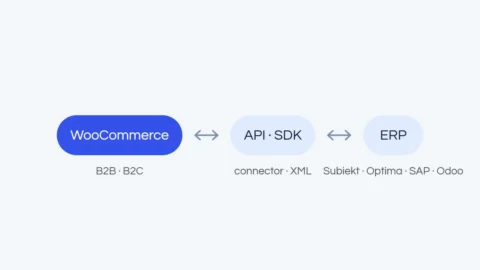
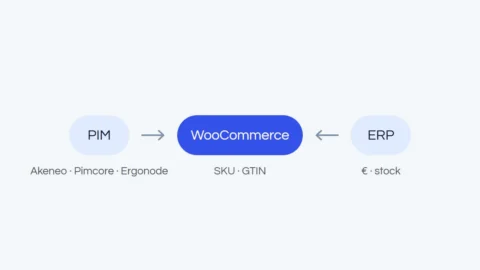
You do not have to choose between off-the-shelf and a perfect fit. What usually works best is a ready-made CRM connected to your other systems: the store sends customers and orders, the ERP sends invoices and balances, website forms send new inquiries, and automation (such as Make or n8n) takes repetitive work off the team. For example, HubSpot connected to WooCommerce gives you purchase history, customer segments and emails in one place, without building a CRM from scratch. Such connections are made through ready-made apps from the CRM’s marketplace, or a custom integration when the process is unusual. We write more about planning data exchange in WooCommerce ERP integration.
10 questions before you put customer data into your own app
- Where does the data physically live, and did I choose an EU region?
- Do I have a data processing agreement with every provider (database, hosting, email)?
- Does the database have access rules, with no full-access keys in the site’s code?
- Who has access to what, and can I restrict it per person?
- Do I have backups, and have I checked that I can restore data from them?
- Has anyone other than me (and the AI) reviewed the code?
- Who updates the libraries, and how often?
- Does the app record who changed or downloaded data, and when?
- Do I process health data or children’s data?
- Do I know what I will do within 72 hours of discovering a breach?
If the answer to several of these is “I don’t know”, it is a good time to keep real data in a ready-made tool and keep developing your own app as a prototype.
Frequently asked questions
Is a CRM in Excel safer?
It is a different risk, not a smaller one. The file travels by email and on USB sticks, with no permissions or change history. It is fine for the very beginning, but with customer data it is better to move to a ready-made CRM, even on a free plan.
Which CRM should a small company start with?
HubSpot’s or Zoho’s free plan, with data in the EU. If local support matters to you, Livespace or Firmao. What matters most is that the provider offers a data processing agreement and says clearly where it stores data.
Do I have to report a breach from my own app?
Yes, if the breach is likely to result in a risk to the people affected: you have 72 hours. Not every breach has to be reported to the authority, but that assessment has to be made and documented.
Can I use AI when working with a CRM?
Yes, and it is worth it. Many ready-made CRMs already have built-in AI features or connections to assistants. What matters is knowing what data goes to the model and on what terms.
We help choose a ready-made CRM and connect it to your store, ERP and forms so it works with the rest of the company. See how we build ERP, PIM and CRM integrations, and if you want your team to use AI without putting data at risk, check our consulting and training. You can also describe your process in the free quote form right away.