WooCommerce ERP integration: what really works and what doesn’t
WooCommerce works great until you try to plug in an ERP system that has its own data model, its own working rhythm and zero documentation in English. At that point, a seemingly simple project turns into one of the harder jobs in all of eCommerce. Not because the API is complicated, but because the data on the two sides rarely matches.
Most integrations follow the same path and fall into the same trap: a developer takes an off-the-shelf plugin, clicks through the field mapping and declares success. For the first two weeks everything works. Then comes the first unusual product, the first unexpected order status and the first silent drift in stock levels. In this article we take apart what really works in this kind of implementation and what only looks good as long as nobody is watching.
Why it’s harder than it looks
On paper, the integration sounds trivial: products and stock levels flow from the ERP to the store, orders go the other way. The problem is that an ERP and WooCommerce are two different worlds that understand even basic concepts differently. What the store sees as one product with variations is often several separate item codes in the ERP. A status that means “paid” to the store may have three different equivalents in the ERP, depending on the payment method.
These discrepancies are not a bug. They are the natural result of the two systems being built for different purposes. That is why integration is not about “connecting the APIs” but about reconciling two data models that were never designed to talk to each other. And this is where it is decided whether the implementation will survive contact with real data.
The off-the-shelf plugin trap
Ready-made connectors assume your ERP speaks a standard language: order, product, customer, invoice. In reality, every Subiekt GT, Comarch ERP XL or SAP Business One deployment has its own custom fields, its own status dictionary and its own validation rules that no universal plugin can anticipate.
As long as your data fits the schema the plugin assumed, all is well. Trouble starts at the first exception, and in business data, exceptions are the norm, not a rarity. That is when the tool starts getting patched with hacks: extra fields, scripts running “on the side,” manual corrections. A few months later it turns out that the solution meant to save time eats up more of it than writing the integration from scratch would have, and on top of that nobody remembers why something works the way it does.
What really works: a single source of truth
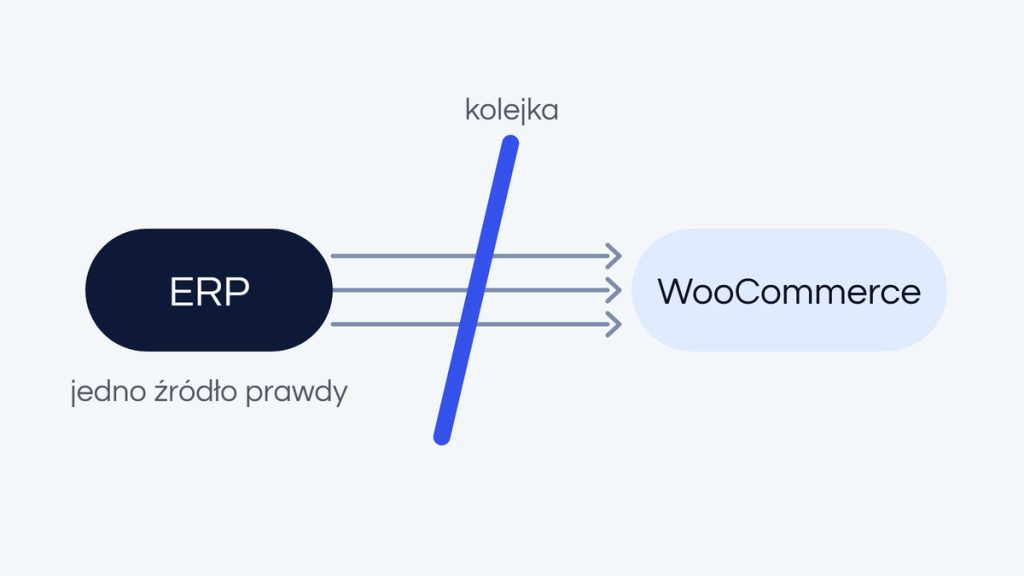
The most important decision in the whole integration is not technical but organizational: you have to decide which system is the source of truth for each type of data. Our rule is simple and almost always the same. The ERP is the source of truth for products and stock levels. WooCommerce is the source of truth for orders. Never the other way around.
This one rule eliminates most conflicts before they even arise. When each data type has a clear owner, the two sides never end up “correcting” each other and overwriting each other’s changes. It sounds boring, but this boring order is exactly what keeps stock levels in sync and orders from disappearing.
One-way synchronization with a queue
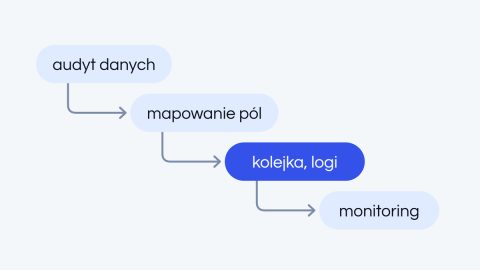
For most clients we build our own synchronization mechanism in PHP instead of relying on an off-the-shelf connector. It is a simple but solid design: a job queue, a one-way data flow for each type and a full log of every operation. Each event knows where it came from and what it has to do, and if something fails, it can be safely retried without the risk of duplicating anything.
This architecture has one more advantage: it is resilient to temporary outages. When the ERP stops responding for a moment, jobs wait in the queue instead of getting lost, and once the connection is back, everything completes on its own. That is the difference between an integration that “usually works” and one you can rely on during a sales peak.
What you can’t get around
There is one thing no technology will do for you: understanding what your data really looks like. Automatic “field A equals field B” mapping looks beautiful in a presentation, but it falls apart at the first exception. And a real ERP has dozens of exceptions: historical records, unusual categories, data entered over the years by different people following different rules.
That is why we always do the mapping by hand, with the client, on real data rather than an idealized example. It is less impressive than “automatic integration in five minutes,” but it is the only way to avoid silent errors that surface only with a customer complaint or a stock discrepancy.
When an off-the-shelf plugin really is enough
To be fair: not every store needs a custom integration. If you have a simple catalog, a standard ERP in a typical configuration and a small order volume, a ready-made connector may be enough, and there is no point overpaying for a tailor-made solution. Just know where its limits are before you build your whole process on it.
The line is usually drawn where custom fields, larger scale, multiple sales channels or unusual business rules come in. In those cases, a custom integration is not a whim but the cheapest choice in the long run, because it eliminates hours of manual work and the risk of errors that can no longer be kept in check as traffic grows.
Your store and your ERP don’t speak the same language? Let’s talk, and we will tell you straight whether an off-the-shelf connector is enough in your case or a custom synchronization is the better investment.